
Let me be straight with you.
When I first started exploring AI tools a few years back, most of them were either too complicated, too expensive, or failed to deliver on their promises. Today in 2026, the game has changed completely — and the most exciting part? The best tools are now free.

Master the tools that drive real results.
Introduction
You do not need a big budget to work smarter, write faster, design better, or earn more online. You just need to know which tools are actually worth your time — and that is exactly what this guide is about.
I have personally tested every single tool on this list. Not for an hour. Not for a day. I mean real, daily use across writing projects, blog posts, client work, and research — the kind of testing that tells you what a tool is really like when the novelty wears off.
By the end of this post, you will know exactly which free AI tools to use, what each one is best for, and how to start using them today — even if you are a complete beginner.
Quick Answer: The best free AI tools in 2026 for saving time are ChatGPT, Google Gemini, Canva AI, Grammarly, Perplexity AI, and Otter.ai. Each one serves a different purpose — keep reading to find the right one for your specific needs.
- Why Free AI Tools Are Genuinely Powerful in 2026
- Best Free AI Tools for Writing and Content
- Best Free AI Tools for Design and Visuals
- Best Free AI Tools for Research and Learning
- Best Free AI Tools for Productivity and Meetings
- Best Free AI Tools for Online Earning
- Quick Comparison Table — All 12 Tools
- Which AI Tools Should You Start With?
- Frequently Asked Questions
Why Free AI Tools Are Genuinely Powerful in 2026

Don’t just watch the future — use it
Three years ago, free AI tools were mostly demos — stripped-down versions designed to push you toward a paid plan. That is no longer the case.
In 2026, companies like Google, OpenAI, and Canva are giving away serious capabilities for free. Why? Because they are competing for your loyalty. Google wants you to stay in its ecosystem. OpenAI wants you to get used to ChatGPT before you pay. Canva wants to be your design tool for life. That competition is great news for you.
Key Insight: The free tiers of most major AI platforms in 2026 are more powerful than the paid plans of those same tools just two years ago. You genuinely do not need to pay to get serious work done.
Here is what has specifically changed in 2026:
- Free limits are much higher — daily usage caps have been raised significantly across all platforms
- Quality is near-identical to paid — the core AI models powering free plans are excellent
- Integration has improved — free tools now fit into your existing workflow instead of sitting separately
- Mobile apps are fully functional — you can do real work on your phone for free, not just browse
Best Free AI Tools for Writing and Content
1. ChatGPT (Free Tier) — ⭐ Editor’s Choice

Boost productivity with AI chat solutions.
Best For: Writing, ideas, research, and everyday tasks. Free Plan: Yes — generous daily usage. Skill Level: Complete beginners can start immediately.My Rating: ★★★★★
If you only use one AI tool in 2026, make it ChatGPT. The free plan gives you access to a genuinely powerful model that can write blog posts, create social media captions, answer complex questions, summarize documents, help you code, and brainstorm ideas — all without spending a single rupee or dollar.
What I use it for daily: writing first drafts, rewriting sentences that feel stiff, generating headline options, and creating FAQ sections for blog posts. The conversation format makes it feel natural and easy, even for complete beginners.
How it saves your time: A task that used to take you one hour — researching a topic, drafting an article, and editing it — can now take 15 to 20 minutes when you use ChatGPT properly.
Pro Tip from 15 Years of Content Writing: Do not ask ChatGPT to “write a blog post.” Instead, say: “Write an engaging 800-word blog introduction for a beginner audience about [topic]. Make it conversational, warm, and practical — not robotic.” Specific instructions always produce better results dramatically.
What Works Great:
- Writes in any tone or style you ask for
- Excellent for brainstorming blog topics and outlines
- Explains complex topics in simple language
- Works well even for non-native English speakers
- Available on mobile, desktop, and everywhere
What to Watch Out For:
- Can sound robotic if you do not give it good instructions
- Sometimes makes up facts — always verify important information
- The free plan may reach daily limits during very heavy use
Irfan’s Verdict: ChatGPT is not a writing machine you just turn on. It is a powerful assistant that rewards good prompting. Learn to give clear, specific instructions, and it will genuinely save you 3 to 5 hours every single working day.
2. Grammarly (Free Plan) — Must-Have for Every Writer
Best For: Editing, proofreading, and improving clarity. Free Plan: Yes — works on all devices via browser extension. Skill Level: Zero setup required
My Rating: ★★★★★
Grammarly has been around for years, but its free plan in 2026 is smarter than ever. It does not just fix spelling mistakes — it catches tone issues, unclear sentences, wordiness, and missing punctuation in real time, right inside your browser, Google Docs, or email client.
For bloggers and freelancers writing in English as a second language — which is most of us in South Asia — Grammarly is an absolute must-have. It silently makes your writing look professional without any extra effort on your part.
How it saves your time: Instead of re-reading your work three times looking for mistakes, Grammarly catches them as you type. You save 20 to 30 minutes of editing per piece of content.
Irfan’s Verdict: Install the Grammarly browser extension right now. It requires zero effort and makes every email, blog post, and message you write noticeably better. This is the one tool I would never go without.
3. Google Gemini (Free) — Best for Google Users
Best For: Gmail, Google Docs, Drive integration, and research. Free Plan: Yes — very generous Skill Level: Easy for anyone who uses Google products
My Rating: ★★★★★
If you use Gmail, Google Docs, Google Drive, or YouTube regularly, Gemini is the most useful free AI tool you can add to your daily routine right now. The free tier gives you access to genuinely capable models — and because it connects directly to your Google account, it can summarize your emails, pull key points from documents, and even explain what a YouTube video is about without you watching the whole thing.
I tested Gemini specifically for blog research workflows and was impressed. Asking it to “pull key statistics from this Google Doc and suggest 5 related blog angles” produced genuinely useful output in under 30 seconds.
How it saves your time: For anyone managing email-heavy work, the Gmail integration alone saves 30 to 45 minutes every single day.
Irfan’s Verdict: If you already use Google products daily, Gemini is a no-brainer free upgrade to how you work. Connect it to your Google account and let it handle your email summaries and document analysis.
4. Best Free AI Tools for Design and Visuals
Canva AI (Free Plan) — Top Pick for Bloggers and Freelancers

Best For: Blog images, social media graphics, YouTube thumbnails, presentations. Free Plan: Yes — over one million free templates. Skill Level: Zero design experience needed
My Rating: ★★★★★
Canva has been a design tool for years, but the AI features added in 2025 and expanded in 2026 have turned it into something genuinely magical for non-designers. The free plan gives you access to the Magic Design tool, AI background removal, an AI image generator, and the ability to resize any design for any platform with one click.
For bloggers, the use case is obvious: stunning featured images, social media graphics, YouTube thumbnails, and simple infographics — all without any design skills or expensive software.
For freelancers, Canva is the tool that lets you offer graphic design services on Fiverr even if you have never studied design in your life.
💡 Earn Online with Canva: Many people in Pakistan and India are earning a significant income per month by offering Canva-based design services on Fiverr. Social media management, YouTube thumbnail design, and Instagram post packages are all in high demand right now.
What Works Great:
- Drag-and-drop interface — anyone can use it
- AI image generation is built in on the free plan
- One-click background removal
- Works perfectly on both phone and computer
- Massive template library covering every niche
What to Watch Out For:
- Some premium templates require the paid plan
- AI generation has daily limits on the free tier
- Some assets download with a Canva watermark
Irfan’s Verdict: Canva AI is one of the most valuable free tools available for anyone building an online presence or income in 2026. Even the free plan is more than enough for 90% of what bloggers and freelancers need.
Best Free AI Tools for Research and Learning

5. Perplexity AI (Free) — 🔥 Trending in 2026
Best For: Research with real sources, fact-checking, and topic exploration. Free Plan: Yes — fully functional. Skill Level: Easy. My Rating: ★★★★★
Perplexity AI is what happens when you combine a search engine with a smart AI assistant. Instead of giving you a list of ten links to dig through, it reads those sources and gives you a direct, cited answer with the references right there so you can verify them.
For bloggers and content creators, Perplexity has become an essential research tool. I use it every single time I start a new blog post. It cuts my research time from 45 minutes down to about 10 minutes — and because it shows you the sources, you can trust and verify what it tells you.
How it saves your time: Stop opening 15 browser tabs to research a topic. Ask Perplexity one question and get a complete, sourced answer in under 60 seconds.
Irfan’s Verdict: Perplexity is the smartest upgrade to how you search the internet. Use it before writing any blog post, and you will immediately produce better, more accurate content.
6. Google NotebookLM (Free) — The Underrated Gem
Best For: Analyzing PDFs, long documents, and research papers. Free Plan: Yes — completely free. Skill Level: Easy to moderate. My Rating: ★★★★☆
NotebookLM is Google’s quietly brilliant AI research tool. You upload any document — a PDF, a Google Doc, a YouTube transcript — and then you can have a full conversation with it. Ask it to summarize the key points, find specific information, generate quiz questions, or explain a concept from the material in simple language.
I used it to analyze competitor blog posts and extract their content structure and main topics in minutes. It is also incredibly useful for students, researchers, and anyone who needs to understand large documents quickly.
How it saves your time: Instead of reading a 40-page PDF in two hours, ask NotebookLM to summarize the key points in 5 minutes and then ask follow-up questions about specific sections.
Irfan’s Verdict: NotebookLM is one of the most underrated free AI tools of 2026. If you regularly work with long documents, PDFs, or research papers, this tool will save you hours every week.
Best Free AI Tools for Productivity and Meetings
7. Otter.ai (Free Plan) — Time Saver for Remote Workers
Best For: Automatically transcribing and summarizing meetings and calls. Free Plan: Yes — 600 minutes per month. Skill Level: Very easy. My Rating: ★★★★☆
If you attend online meetings, video calls, or interviews, Otter.ai is a game-changer. It joins your Zoom, Google Meet, or Teams call as a silent participant, records everything, transcribes it in real time, and then generates a clean summary with action items by the time the call ends.
The free plan gives you 600 minutes of transcription per month — more than enough for most users. Freelancers and remote workers who once spent 30 minutes writing meeting notes after every call now get those notes automatically the moment the call ends.
How it saves your time: Eliminate 100% of manual note-taking from every meeting you attend. Get summaries and action items delivered automatically.
Irfan’s Verdict: If you attend even 4 to 5 online meetings per week, Otter.ai pays back its time investment within the first day you use it.
8. Notion (Free Plan) — Organize Everything in One Place
Best For: Content planning, note-taking, project management. Free Plan: Yes — unlimited pages for individuals. Skill Level: Easy to moderate My Rating: ★★★★☆
Notion is not purely an AI tool, but in 2026, it has AI built into its core — helping you summarize notes, generate ideas, rewrite content, and organize your thoughts. The free plan for individuals is genuinely powerful.
For bloggers, especially, Notion is the perfect content calendar, research database, and drafting environment all in one place. I manage every blog post idea, outline, and draft in Notion — it keeps everything organized and instantly searchable.
Irfan’s Verdict: Start using Notion to organize your blog content pipeline. Once you get into the habit, you will wonder how you managed without it.
Best Free AI Tools for Online Earning

9. Gamma AI (Free) — Freelance Gold
Best For: Creating professional presentations, proposals, and pitch decks. Free Plan: Yes — limited generations per month. Skill Level: Very easy My Rating: ★★★★☆
Gamma is one of the most exciting free AI tools for freelancers. You type a topic or paste some bullet points, and Gamma builds you a beautiful, professional-looking presentation, proposal, or web page in under two minutes. No design skills needed. No struggling with PowerPoint slides.
Many freelancers are now selling Gamma-powered pitch decks, business proposals, and training materials on Fiverr for $20 to $80 per project. The output looks genuinely polished and professional.
Irfan’s Verdict: Gamma is a hidden gem for anyone looking to offer presentation or proposal design services online. The free plan gives you enough to start earning before you ever consider upgrading.
10. Copy.ai (Free Plan) — Copywriting Made Simple
Best For: Marketing copy, product descriptions, ad copy, social captions Free Plan: Yes — limited monthly words Skill Level: Easy My Rating: ★★★★☆
Copy.ai is built specifically for marketing copy — the kind of writing that convinces people to click, buy, or sign up. The free plan includes tools for writing product descriptions, ad copy, email subject lines, social media captions, and website headlines.
Freelancers offering copywriting services can use Copy.ai to deliver faster results. Bloggers can use it to write stronger calls-to-action and more compelling email subject lines.
Irfan’s Verdict: For anyone offering copywriting or social media management services, Copy.ai is your secret weapon. Generate 10 headline variations in 30 seconds and pick the best one.
11. ElevenLabs (Free Tier) — For Faceless Content Creators
Best For: AI voiceovers for videos, YouTube content, and podcasts. Free Plan: Yes — monthly credit included. Skill Level: Easy My Rating: ★★★★☆
ElevenLabs creates the most realistic AI voices available today. The free plan gives you a monthly credit of voiceover minutes — enough to produce voiceovers for short videos, YouTube content, explainer clips, or podcast intros.
For content creators who are camera-shy or building faceless YouTube channels — one of the most popular online earning strategies in South Asia right now — ElevenLabs is a complete game changer.
Irfan’s Verdict: If you want to start a faceless YouTube channel or create video content without recording your own voice, ElevenLabs gives you professional-quality voiceovers for free. The realism is genuinely impressive.
12. DeepSeek (Free) — Deep Research Champion
Best For: Complex research, structured analysis, long-form reasoning Free Plan: Yes — completely free Skill Level: Moderate My Rating: ★★★★☆
DeepSeek emerged as one of the big surprises of 2025 and has only gotten more capable in 2026. Unlike most AI chatbots that give surface-level answers, DeepSeek excels at deep, structured research — it pulls sources, presents counterarguments, and gives you context that other tools often miss.
For bloggers who need to write authoritative, well-researched content, DeepSeek is a powerful companion to ChatGPT and Perplexity. Use it when you need to go truly deep on a topic, not just get a quick answer.
Irfan’s Verdict: DeepSeek fills a gap that other free tools leave open — deep, structured, referenced research. If your blog covers technical, financial, or information-heavy topics, add DeepSeek to your toolkit immediately.
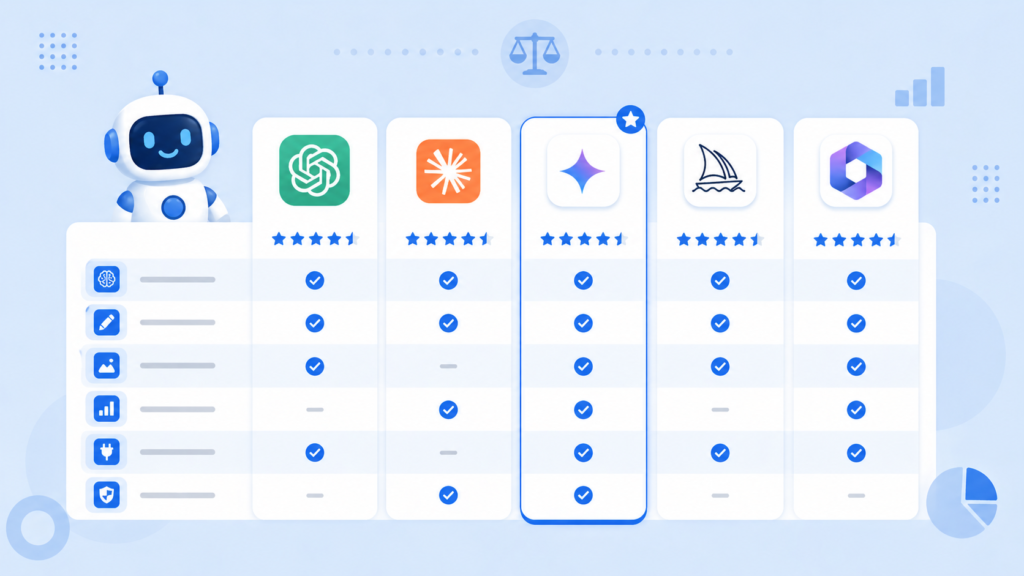
Quick Comparison Table — All 12 Tools at a Glance
| Tool | Best For | 100% Free? | Beginner Friendly? | Good for Earning? | My Rating |
| ChatGPT | Writing & Ideas | ✅ Yes | ✅ Yes | ✅ Yes | ★★★★★ |
| Grammarly | Editing | ✅ Yes | ✅ Yes | ✅ Yes | ★★★★★ |
| Google Gemini | Google Workspace | ✅ Yes | ✅ Yes | ✅ Yes | ★★★★☆ |
| Canva AI | Design & Graphics | ✅ Yes* | ✅ Yes | ✅ Yes | ★★★★★ |
| Perplexity AI | Research | ✅ Yes | ✅ Yes | ✅ Yes | ★★★★★ |
| NotebookLM | Document Analysis | ✅ Yes | ✅ Yes | Indirect | ★★★★☆ |
| Otter.ai | Meeting Notes | ✅ 600 min | ✅ Yes | Indirect | ★★★★☆ |
| Notion | Organization | ✅ Yes | ✅ Yes | ✅ Yes | ★★★★☆ |
| Gamma AI | Presentations | ✅ Limited | ✅ Yes | ✅ Yes | ★★★★☆ |
| Copy.ai | Marketing Copy | ✅ Limited | ✅ Yes | ✅ Yes | ★★★★☆ |
| ElevenLabs | AI Voiceovers | ✅ Limited | ✅ Yes | ✅ Yes | ★★★★☆ |
| DeepSeek | Deep Research | ✅ Yes | Moderate | ✅ Yes | ★★★★☆ |
Some Premium Canva assets require a paid plan. Core design features are free.
Which AI Tools Should You Start With?
Do not make the mistake of trying all 12 tools at once. That leads to confusion, wasted time, and frustration. Instead, start with the right combination for your specific situation.
If you are a beginner blogger just starting,
Start with ChatGPT for writing help and ideas, Grammarly for editing everything you write, and Canva AI for featured images and social graphics. These three tools together will handle 80% of everything you need.
If you want to earn online through freelancing,
Start with Canva AI to offer design services on Fiverr, ChatGPT to offer writing and content services, Gamma AI to offer presentation design, and Copy.ai to offer copywriting and caption packages.
If you are an experienced content creator:
Use Perplexity AI for research before writing, DeepSeek for deep-dive research on complex topics, ChatGPT for drafting and content creation, NotebookLM for analyzing source material, and Grammarly for polishing every final draft.
✅ Irfan’s Golden Rule: Master two or three tools deeply before adding more. Someone who knows ChatGPT and Canva inside out will always outperform someone who has installed fifteen AI tools but only uses each one occasionally. Depth beats breadth, every time.
Frequently Asked Questions
What is the single best free AI tool in 2026 for a complete beginner?
ChatGPT on the free plan. It is the most versatile, the easiest to start with, and the most useful for the widest range of tasks — from writing to research to everyday problem-solving. Start there, learn to prompt it well, and then add other tools gradually as your confidence grows.
Can I actually earn money using only free AI tools?
Absolutely yes. Many people in Pakistan, India, and across South Asia are earning significant income on Fiverr, Upwork, and through blogging using nothing but free tools like ChatGPT, Canva, Grammarly, and Copy.ai. You do not need to pay for anything to get started. The limiting factor is your skills and your consistency — not the tools you use.
Are free AI tools safe to use for professional work?
Yes, for most professional use cases. All the tools in this list are from reputable companies — Google, OpenAI, Canva, and others. The main things to remember: do not put highly sensitive personal or client data into any AI tool, always fact-check AI-generated information before publishing, and always edit AI output to match your own voice and style.
Do free AI tools work in Urdu or Hindi?
ChatGPT and Google Gemini both work reasonably well in Urdu and Hindi, though the quality is best in English. For building English-language blogs or services for international audiences, working in English is the recommended approach. You can write your prompts in Urdu and ask for English output — this works well with ChatGPT.
Will using AI tools hurt my blog’s SEO ranking?
No — as long as your content is genuinely helpful, accurate, and edited by a human. Google’s focus in 2026 is on content quality and real user experience, not on whether AI was involved in the writing process. The key is to use AI as a starting point and then add your own real experience, examples, opinions, and human voice on top. Content that reads like a robot wrote it will underperform — but well-edited, genuinely useful AI-assisted content ranks just fine.
How many AI tools should I use at the same time?
Start with two to three tools maximum. Most people who struggle with AI are using too many tools without truly mastering any of them. Pick the two that best match your immediate goals — for bloggers, that is usually ChatGPT and Canva — and use them every day until they feel completely natural. Then add one more at a time.

Final Thoughts — Start Small, Stay Consistent
Here is the truth after years in this space: the tool is never the bottleneck. The person using it is.
Every single tool in this guide is free. Every single one is accessible to you right now, today, wherever you are in the world. ChatGPT does not charge more if you are in Srinagar or Karachi than if you are in London. Canva looks the same whether you open it in Pakistan or the United States.
What separates people who actually use AI to save time and earn money from people who just read about it is one simple thing: they start.
Pick one tool from this list. Open it today. Use it for one specific task. Get comfortable with it. Then pick the next one.
In 30 days, you will look back at how you used to work and wonder how you ever managed without these tools.
✅ Your Simple Action Plan: Day 1 — Sign up for ChatGPT for free. Day 2 — Install the Grammarly browser extension. Day 3 — Create a free Canva account and design one graphic. Day 7 — Use Perplexity AI to research your next blog post topic.
That is all it takes to get started. The rest will follow naturally.
Published: April 2026 | Author: Irfan — Connected Irfan | Category: AI Tools
Very interesting and I came to know about Ai tools and so many facts about it .And i have learn’t so much . Thank you connected irfan .